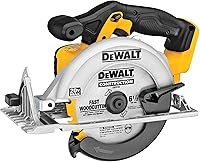
DeWalt DCS578 vs DCS590 Circular Saws: Which Is Better? (November 2026)
For DeWalt DCS578 vs DCS590, choose the DCS578 for an existing compatible FLEXVOLT setup or the DCS590 for a compatible 20V MAX setup. Their equal straight-cut capacity makes batteries and useful features the better deciding factors.
On this page (11 sections)
- DeWalt DCS578 vs DCS590: which should you choose?
- How should battery ownership affect your choice?
- Do the DCS578B and DCS590B cut the same depth?
- Do speed and power claims make either saw the winner?
- Which features will matter during everyday cutting?
- Which saw is easier to handle?
- Who should buy each saw, and who should skip it?
- How should you set up either saw for the first cut?
- How can you get cleaner, straighter cuts?
- What care and common mistakes should you plan for?
- DeWalt DCS578 vs DCS590: the final decision
Choose the DCS578 for a compatible FLEXVOLT setup and the DCS590 for a compatible 20V MAX setup. In this DeWalt DCS578 vs DCS590 comparison, neither gives you a deeper straight cut, so your batteries and daily work should lead the decision.
Both are brushless, full-size cordless circular saws. The useful differences are the battery platform, selected handling features and the information available for planning bevel cuts.
A good choice should fit the whole job: carrying the saw, supporting the material, following a line and keeping enough charged batteries ready.


DeWalt DCS578 vs DCS590: which should you choose?
Choose the DCS578B if compatible FLEXVOLT batteries are already part of your setup; choose the DCS590B if compatible 20V MAX batteries fit your other tools. There is little reason to add another battery requirement solely for this pair's shared cutting capacity.
The DCS578 also makes sense if an integrated work light and a storage hook solve everyday problems for you. The DCS590 deserves a closer look if you prefer its top-handle layout and right-side blade.
If you're starting with no batteries, work backward from your next few projects. Consider which other cordless tools you expect to use and how you'll keep them charged alongside the saw.
Don't let the small score difference decide the purchase. A saw that fits your battery supply and cutting routine is the better choice for you.
A quick DCS578 vs DCS590 decision checklist
- Choose the DCS578: you have compatible FLEXVOLT packs and value its LED and rafter hook.
- Choose the DCS590: you have compatible 20V MAX packs and like its handle and blade layout.
- Compare other saw types first: you mainly need compact handling, fixed-angle repeat cuts or guided sheet cutting.
Our complete circular saw buying guide explains where these full-size saws fit among other designs.
How should battery ownership affect your choice?
Confirm your exact battery and charger compatibility before choosing either tool. The DCS578B uses 60V MAX FLEXVOLT, while the DCS590B uses 20V MAX XR, and both versions here exclude batteries and chargers.
Count usable packs rather than simply counting DeWalt tools in your garage. A battery already assigned to another tool may leave the saw waiting during a project.
For occasional work, charging between short tasks may suit your routine. For longer cutting sessions, think about how you'll rotate compatible packs and whether your charging location is practical.
Check DeWalt's battery and charger information and the manuals for the exact model numbers involved. Don't assume that a pack's physical fit alone settles compatibility.
Starting from scratch also means planning for blades, clamps and work support. Those items affect how well the saw serves you just as directly as the battery platform.
Our cordless circular saw guide covers the broader battery and blade choices. Use it if this purchase will set the direction for your cordless tools.
Do the DCS578B and DCS590B cut the same depth?
Both use a 7-1/4 in blade and cut up to 2-9/16 in deep at 90 degrees. Neither offers a straight-cut depth advantage for stock within that limit.
Measure the actual material you're cutting, especially when working with stacked pieces or angled edges. A board's trade size is not the measurement to use when checking clearance.
Both saws have a maximum bevel capacity of 57 degrees, with stops at 22.5 and 45 degrees. The DCS590 also specifies a maximum cutting depth of 2 in at 45 degrees.
Maximum bevel angle and maximum cutting depth answer different questions. A saw may tilt to your required angle yet lack enough depth to finish that cut in one pass.
For thick bevel cuts, confirm capacity at the required setting before choosing. Don't fill in the DCS578's angled cutting depth by assuming it matches the DCS590.
For repeat work, check the angle on scrap before cutting finished parts. A bevel stop helps you return to a setting, but the finished joint still deserves a fit check.
Do speed and power claims make either saw the winner?
The speed and power figures don't guarantee a direct winner between these models. The DCS578 has a no-load speed of 5,800 rpm, while the DCS590 reaches up to 5,500 rpm without a load.
That measures blade speed before it enters the wood. It does not measure how quickly either saw completes a cut under the same conditions.
DeWalt describes the DCS578 as delivering 2,456 unit watts out and up to 47% more power than the DCS575. That percentage compares it with the DCS575, not the DCS590.
For the DCS590, DeWalt claims up to 1,700 MWO and up to 368 cuts per charge. Those figures don't provide a shared basis for calculating a cutting-speed or runtime advantage over the DCS578.
Plan battery supply around the cuts you actually make. Repeated short crosscuts and long rips place different demands on a cordless setup.
During use, let the blade cut at a steady feed rate. Pushing harder to chase a speed figure can reduce control and increase the chance of binding.
Which features will matter during everyday cutting?
The DCS578's LED and rafter hook are practical reasons to prefer it, while the DCS590's top handle and right-side blade deserve attention when judging grip and sightline. Choose features that solve a repeated problem in your work.
The integrated LED can help illuminate the cutting area. Still arrange enough room lighting to see the workpiece, nearby obstacles and the full path of the cut.
The rafter hook gives the DCS578 a storage option between tasks. Use it only as directed in the manual, with the blade stopped and the saw securely supported.
Both saws have an electric brake that helps stop the blade after trigger release. Wait for a complete stop before setting the saw down, and keep clear of the blade throughout.
For the DCS590, consider where you'll stand and how you'll see the line with the blade on the right. Hand preference alone doesn't settle comfort; workpiece position and support also affect your view.
Never twist your body across the cutting path to improve visibility. Reposition the work or your stance before starting.
Which saw is easier to handle?
Judge handling with the intended battery attached, because the supplied weight figures don't guarantee comparable ready-to-cut weights. The specified weights are 8.2 lb for the DCS578 and 9.88 lb for the DCS590.
Balance matters when placing the saw on the work, reaching the end of a cut and carrying it between tasks. A heavier battery can also change how a tool feels in your grip.
Check whether you can reach the controls while keeping a secure hold. You should be able to guide the saw without stretching, crowding the blade path or leaning over unstable material.
If most of your work involves small pieces or awkward access, consider whether a full-size saw fits the task at all. Don't choose between these two simply because they share a familiar brand.
Our best cordless circular saws offers alternatives if neither layout meets your needs.
Who should buy each saw, and who should skip it?
Buy the DCS578 for a compatible FLEXVOLT workflow; buy the DCS590 for a compatible 20V MAX workflow. Both suit buyers who need full-size cordless wood cutting and can provide stable support for the work.
Who should choose or skip the DCS578?
The DCS578 fits buyers who already have suitable FLEXVOLT batteries and want its lighting and storage features. Those details are useful when you move between cutting stations or work where shadows obscure a marked line.
Skip it if the battery requirement adds equipment you won't otherwise use. Its power claim against another model is not a reason to abandon a compatible setup that already meets your needs.
Who should choose or skip the DCS590?
The DCS590 fits buyers who want to add a full-size saw to a compatible 20V MAX setup. Its stated bevel depth is also useful when checking whether a planned angled cut fits within its capacity.
Skip it if you dislike its grip or cannot see your cut line from a safe stance. Existing batteries are helpful, but they don't make an unsuitable layout comfortable.
When should you choose neither?
Choose neither if your main task calls for a different cutting method. Lots of repeat angle cuts or long, guided sheet cuts may shift the decision toward another saw category.
Our circular saw vs track saw comparison explains the choice for sheet goods. A standard circular saw can follow a guide, but don't assume either model fits a particular rail without checking compatibility.
How should you set up either saw for the first cut?
Start with the battery removed, the right blade installed and the work firmly supported. Follow the chosen saw's manual for blade fitting, adjustments and operating steps.
- Inspect the blade and guard. Look for blade damage and confirm the guard moves as the manual requires.
- Match the blade to the job. Check diameter, arbor fit, rotation direction and speed suitability for the saw.
- Set cutting depth. Follow the manual's guidance for blade projection below the material instead of leaving the saw at maximum depth.
- Set and lock the bevel. Check both the angle and the depth available at that angle.
- Support and clamp the work. Arrange the pieces so they cannot shift or close around the blade.
- Check the cutting path. Keep clamps, cords and hidden fasteners out of the blade's route.
Our blade direction guide explains the rotation arrows to check during installation.
Make the first cut in scrap that matches your project material. Confirm the cut position, edge quality and bevel before moving to a finished piece.
For full operating steps, read our guide to using a circular saw. Wear suitable eye and hearing protection and follow the manual's dust-control guidance.
How can you get cleaner, straighter cuts?
Use a suitable sharp blade, firm support and a guide when the cut needs one. Those choices are more useful for cut quality than selecting either saw solely by no-load speed.
Mark which side of the line is waste and allow for the blade's kerf. Otherwise, a cut that follows the mark can still leave the finished piece too small.
For a straightedge guide, measure the offset between the blade and the shoe edge that follows the guide. Make a scrap cut to confirm the position before cutting your project part.
Keep the shoe supported as the cut finishes. If the saw tips near the end, the cut can drift even when the earlier section followed the line.
Avoid forcing the saw sideways to correct a wandering cut. Release the trigger and wait for the blade to stop before resolving the problem according to the manual.
Our guide to cutting straight with a circular saw explains guide placement and work support in more detail.
What care and common mistakes should you plan for?
Keep the blade sharp, the guard clear and the adjustments secure. Remove the battery before blade work, inspection or cleaning, and follow the manual for approved maintenance methods.
Clear loose sawdust from accessible areas without pushing it into the tool. Inspect the shoe and adjustment locks if the saw has been bumped or the cut angle has changed unexpectedly.
Store the saw and batteries in the conditions their manuals require. Inspect packs for damage and keep battery contacts away from loose metal objects.
Avoid these common mistakes:
- Using maximum depth for every cut. Set depth for the stock and task.
- Supporting the work so the kerf closes. Plan how both sides will move before cutting.
- Forcing a dull blade. Stop and address the cause of slow cutting.
- Treating the brake as an instant stop. Wait until blade movement ends.
- Planning runtime from a maximum claim. Your material, blade and battery affect how much work a charge supports.
If either saw begins binding or cutting poorly, stop before troubleshooting. Repeatedly pushing through the same problem can turn a setup issue into a loss of control.
DeWalt DCS578 vs DCS590: the final decision
Pick the DCS578 when FLEXVOLT compatibility and its LED and hook fit your routine; pick the DCS590 when compatible 20V MAX batteries and its layout suit you better. Before ordering, confirm the complete battery setup and the capacity needed for your hardest planned cut.
For DeWalt DCS578 vs DCS590, shared straight-cut capacity removes one major reason to switch platforms. Put your remaining attention into safe handling, the right blade and stable work support.
If the FLEXVOLT option matches your needs, our DeWalt DCS578B review gives you a closer look at that choice.
Frequently asked questions
What is the main difference between the DeWalt DCS578 and DCS590?
The main difference is the battery platform: the DCS578B uses 60V MAX FLEXVOLT, while the DCS590B uses 20V MAX XR. Their straight-cut capacity is equal, so start with compatible batteries and chargers, then compare the handling features that matter for your usual work.
Does the DCS578 cut deeper than the DCS590?
Neither cuts deeper at 90 degrees: both have a maximum depth of 2-9/16 in; the DCS590B also specifies a 2 in maximum at 45 degrees. For other bevel angles, check the manual and measure your stock rather than assuming straight-cut capacity still applies.
Which DeWalt saw has the higher no-load speed?
The DCS578B runs at 5,800 rpm without a load, compared with 5,500 rpm for the DCS590B; that difference does not tell you which cuts faster through your stock. Blade type, blade condition, battery choice and feed pressure all affect the cut, so choose around your work and battery setup.
Can I use the same battery with both saws?
Use a battery in both saws only when DeWalt confirms that exact pack is compatible with each model; these saws belong to different voltage platforms, so the brand name alone is not enough. Check the battery model, charger requirements and both manuals before planning to share packs.
Are the DeWalt DCS578B and DCS590B sold with batteries?
Both versions here are tool-only, with batteries and chargers sold separately; if you're starting from scratch, plan the complete setup before choosing: a compatible pack, charger, suitable blade and stable work support. Existing battery ownership helps only when those packs meet the chosen saw's requirements.